Laptop vs. Desktop Monitor Privacy Filters: Key Differences for Buyers
Laptop and desktop monitor privacy filters serve the same purpose: helping protect on-screen information from unwanted side views. However, they differ in screen compatibility, installation, daily use, and purchasing requirements.
The main difference is portability and screen compatibility. Laptop privacy filters are designed for specific notebook screen dimensions and portable use, while desktop monitor privacy filters must match a separate monitor's screen size, dimensions, and mounting design. For businesses, the right choice depends on the device type, working environment, user requirements, and purchasing volume.
This guide explains the key differences to help businesses, distributors, and procurement teams choose the right privacy filter.
1. What Is a Laptop Privacy Filter?
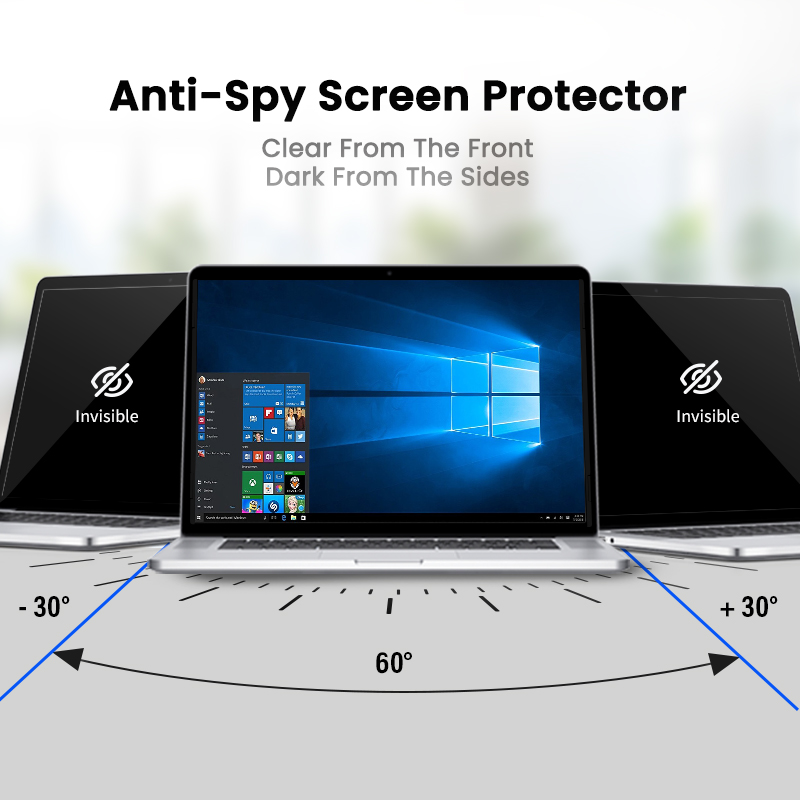
A laptop privacy filter is a screen accessory designed to limit side-angle visibility on a notebook computer. It helps keep information on the screen less visible to people sitting nearby, making it useful in offices, shared workspaces, business travel, and other environments where screen privacy matters.
Laptop privacy filters are commonly considered for:
-
Business laptops used by employees who handle confidential information
-
Mobile professionals working in airports, hotels, and shared offices
-
Financial, legal, healthcare, and administrative teams
-
Corporate IT departments managing employee devices
-
Resellers and private-label brands serving business users
Because laptops are portable and come in many models, buyers should confirm screen dimensions, aspect ratio, bezel design, and mounting compatibility before ordering.
2. What Is a Desktop Monitor Privacy Filter?
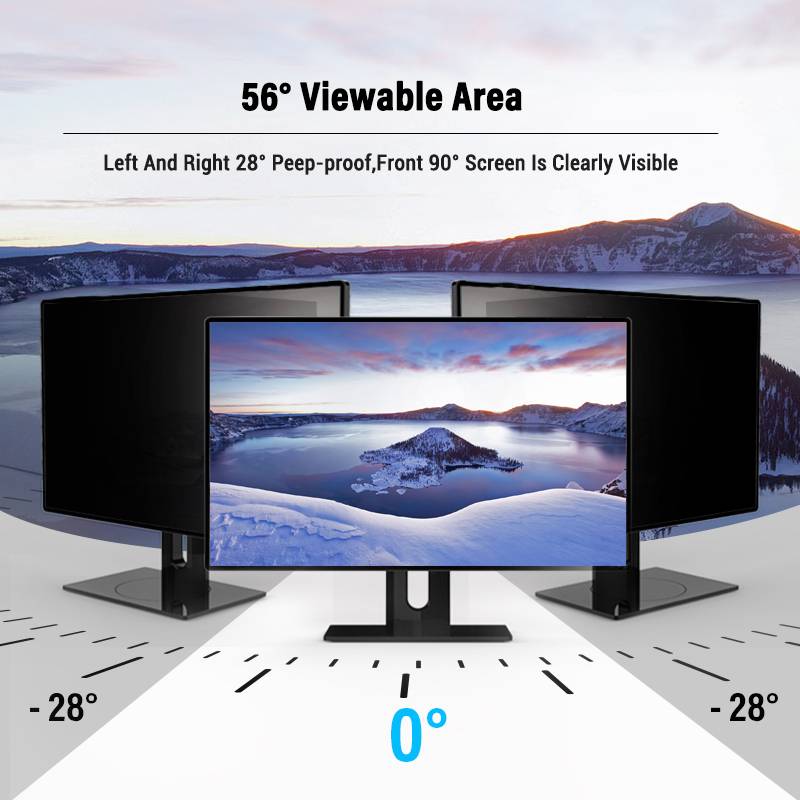
A desktop monitor privacy filter is designed for a standalone computer monitor. It serves a similar privacy purpose but must fit the monitor's actual display area and physical design.
Desktop monitor privacy filters may be used in:
-
Corporate offices and open-plan workspaces
-
Reception desks and customer service counters
-
Financial and administrative departments
-
Public-facing workstations
-
Shared workstations and other environments where screen information needs protection
Desktop monitors vary in screen size, aspect ratio, bezel thickness, and housing design. A filter that fits one monitor may not fit another, even when both products are described using a similar diagonal screen size.
For buyers, measuring the visible display area and confirming the intended mounting method are important steps before purchasing.
3. Laptop vs. Desktop Monitor Privacy Filters: Key Differences
| Buying factor |
Laptop privacy filter |
Desktop monitor privacy filter |
| Main application |
Notebook computers |
Standalone monitors |
| Portability |
Often used while traveling or moving between workspaces |
Usually installed at a fixed workstation |
| Size selection |
Must match the laptop's display dimensions and model |
Must match the monitor's visible display area and dimensions |
| Compatibility |
Model, aspect ratio, bezel, and webcam position may matter |
Display dimensions, aspect ratio, bezel, and monitor housing may matter |
| Mounting considerations |
Must work with the laptop's screen design and frequent opening and closing |
Must suit the monitor's frame and the buyer's preferred installation method |
| Daily use |
May need to accommodate frequent transport and screen movement |
May prioritize stable installation for regular workstation use |
| Common buyers |
Laptop users, corporate IT teams, laptop accessory distributors |
Businesses, office equipment suppliers, monitor accessory distributors |
| Bulk purchasing priority |
Compatibility across laptop models |
Compatibility across monitor sizes and models |
Important: Mounting options and product features vary by design. Buyers should confirm the available configurations with the supplier rather than assume that every filter supports every installation method.
4. Screen Compatibility: What Buyers Need to Check
Compatibility is one of the most important considerations when sourcing either type of privacy filter.
For laptop privacy filters
Before placing an order, confirm:
-
Exact laptop model: Screen dimensions can differ between models with similar product names.
-
Visible screen dimensions: Measure the display area rather than relying on the laptop's external dimensions.
-
Aspect ratio: Confirm the relationship between screen width and height.
-
Bezel and webcam layout: Check whether the filter design will interfere with the webcam or other components.
-
Mounting requirements: Confirm that the selected installation method suits the screen design and normal laptop use.
For desktop monitor privacy filters
Buyers should verify:
-
Visible display width and height: These dimensions are essential for checking fit.
-
Screen aspect ratio: Two monitors with similar diagonal measurements may have different proportions.
-
Bezel design: The frame may affect how the filter can be installed.
-
Curved or flat screen design: Confirm that the supplier supports the specific monitor type before ordering.
-
Mounting method: Check the available installation options and their compatibility with the monitor.
For both categories, a model list, technical drawing, or physical sample can help reduce fit-related errors before bulk production.
5. Which Mounting Method Is Better?
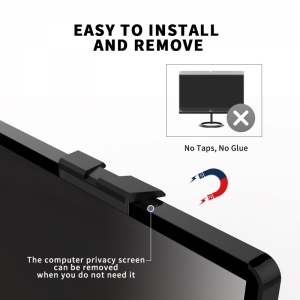
The best mounting method depends on the device, filter construction, and user requirements. Common approaches include magnetic attachment, adhesive attachment, and slide-in or tab-based designs.
-
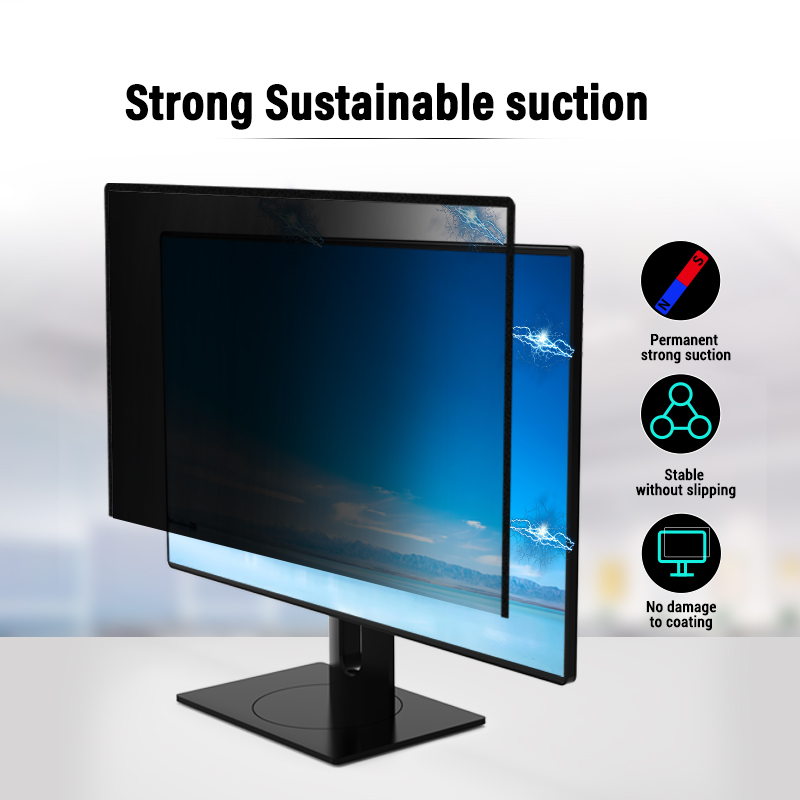
Magnetic attachment: May be convenient for users who need to remove and reinstall a filter, provided the laptop or monitor design supports the required attachment.
-
Adhesive attachment: May suit users who prefer a more fixed installation. Buyers should check the adhesive design, installation instructions, and potential impact on the device surface.
-
Slide-in or tab-based attachment: May allow a filter to be removed when needed, depending on the screen's bezel and the specific product design.
These methods are not interchangeable in every situation. For example, a mounting solution designed for a monitor with a suitable bezel may not work with a thin-bezel laptop screen.
For B2B orders, ask the supplier to confirm which mounting configurations are available for the target device models.
6. How Should Businesses Choose Between Laptop and Monitor Privacy Filters?
The decision should start with the devices being used and the privacy requirements of the working environment.
Choose laptop privacy filters when:
-
Employees primarily use notebook computers.
-
Staff frequently travel or work in shared spaces.
-
The company needs privacy accessories for a fleet of laptops.
-
The buyer serves customers looking for laptop-specific accessories.
Choose desktop monitor privacy filters when:
-
Employees work mainly at fixed desktop stations.
-
The company needs to protect information displayed on office monitors.
-
Workstations use multiple monitor sizes or configurations.
-
The buyer supplies office equipment or monitor accessories.
For mixed-device environments, businesses may need both types. In this case, creating a device inventory before purchasing helps buyers identify the required sizes, mounting options, and quantities.
7. What Should B2B Buyers Consider When Sourcing Privacy Filters?
For distributors, importers, office equipment suppliers, and private-label brands, the purchasing decision involves more than selecting a screen size.
Product range and compatibility
Check whether the supplier can support the screen dimensions and configurations required by your target customers. A clear compatibility process is particularly important when sourcing filters for multiple laptop and monitor models.
Customization and private labeling
If you are developing your own product line, ask about available customization options, branding requirements, packaging, and the minimum order quantity for each configuration. These conditions vary by supplier and product.
Quality control
Ask how the supplier checks dimensions, appearance, installation fit, and product consistency. Request relevant samples or inspection information before committing to a large order.
Production and order management
Clarify lead times, sample approval procedures, packaging specifications, and how changes to product dimensions or order quantities will be managed.
Technical communication
A reliable supplier should be able to review device information and clarify compatibility before production. Providing accurate measurements, model lists, and mounting requirements makes this process more efficient.
For B2B buyers, working directly with a manufacturer may also make it easier to discuss product specifications, customization, and ongoing supply requirements.
FAQ
Are laptop and desktop monitor privacy filters interchangeable?
Not necessarily. Laptop and desktop monitor screens differ in dimensions, bezel design, and mounting requirements. A filter should only be used with a device for which its size and installation method have been confirmed.
Do laptop privacy filters work on external monitors?
A laptop privacy filter should not be assumed to fit an external monitor. The monitor's visible display dimensions and mounting design must be checked separately.
Are larger desktop monitors harder to fit with privacy filters?
Not automatically, but larger monitors may have different dimensions, aspect ratios, and mounting requirements. Buyers should provide the exact screen measurements and model information to confirm compatibility.
Which privacy filter is better for business travel?
A laptop privacy filter is generally the more relevant option for business travelers because it is designed for notebook screens. Buyers should still check portability, attachment design, and compatibility with the specific laptop.
What information should I send a manufacturer for a quotation?
Provide the device type, exact model or screen dimensions, aspect ratio, preferred mounting method, estimated order quantity, and any customization or packaging requirements. If the model is unfamiliar, include photographs or technical drawings where possible.
Can a manufacturer supply both laptop and desktop monitor privacy filters?
Some manufacturers offer product ranges covering both categories, but availability varies. Buyers should confirm the supplier's actual product range, supported specifications, customization capabilities, and order requirements.
Conclusion
Laptop and desktop monitor privacy filters share the same basic goal, but they are designed for different devices and purchasing needs. Laptop filters require attention to notebook model compatibility, portability, webcam clearance, and screen attachment. Desktop monitor filters require careful measurement of the visible display area, confirmation of monitor design, and selection of a suitable mounting method.
For businesses sourcing privacy filters in volume, the most effective approach is to confirm device compatibility first, evaluate mounting and customization requirements, and request samples before placing a large order.
Looking for a privacy filter manufacturing partner? YIPI (Shenzhen Xinpai Electronics Co., Ltd.) focuses on laptop and monitor privacy filter products. Contact our team to discuss your target devices, required specifications, and B2B sourcing needs.