MacBook Privacy Screens: Compatibility, Fit, and Key Buying Considerations
A MacBook privacy screen helps reduce the visibility of on-screen information from side angles, making it useful for people who work in cafés, airports, shared offices, and other public or busy environments.
However, not every privacy screen fits every MacBook. Screen dimensions, model generation, bezel design, and attachment method all affect compatibility.
This guide explains how to choose a MacBook privacy filter that fits correctly and meets your everyday privacy needs.

1. How to Check MacBook Privacy Screen Compatibility
The first step is to identify your exact MacBook model. Apple has released multiple MacBook Air and MacBook Pro generations with different display dimensions and designs.
Before purchasing a privacy screen, check:
-
MacBook model: MacBook Air or MacBook Pro.
-
Screen size: Confirm the advertised display size.
-
Model generation: Different generations may have different physical dimensions.
-
Display dimensions: Check the required width and height of the privacy filter.
-
Bezel design: Consider the available space for the attachment system.
-
Mounting method: Confirm that the filter is designed for your MacBook's display construction.
Do not choose a filter based on screen size alone. Two MacBook models with similar display sizes may require different privacy filters.
2. How to Find Your MacBook Model
If you are unsure which MacBook you own, use macOS to identify it.
-
Click the Apple menu in the top-left corner of your screen.
-
Select About This Mac.
-
Check the model name and other available details.
-
Use the model information to locate the correct technical specifications.
You can also check Apple's official support resources for your device's specifications.
Once you identify the model, compare its display dimensions with the privacy filter supplier's compatibility information. If the exact model is not listed, ask the supplier to confirm the required measurements before ordering.
3. How to Choose the Correct MacBook Privacy Screen Size
A correct fit helps the privacy screen cover the intended display area without interfering with the camera, bezel, or attachment components.
Check more than the diagonal measurement
MacBook display sizes are commonly described in inches, but the diagonal measurement alone does not confirm physical compatibility.
For a more reliable fit:
-
Confirm the exact MacBook model and generation.
-
Check the display's width, height, and aspect ratio.
-
Follow the privacy filter manufacturer's measurement instructions.
-
Determine whether the filter covers the active display area or uses a different mounting area.
-
Confirm clearance around the webcam and other display components.
Avoid assuming that a privacy screen made for one MacBook generation will fit another generation with a similar advertised screen size.
4. Which MacBook Privacy Screen Mounting Method Is Best?
MacBook privacy screens may use different attachment systems. Availability depends on the individual product.
| Mounting method |
Main advantage |
What to check |
| Magnetic |
Convenient attachment and removal on compatible designs |
Whether the MacBook and filter support the magnetic system |
| Adhesive |
Can provide a stable attachment |
Adhesive placement and surface compatibility |
| Slide-on tabs |
Allows removal when needed |
Whether the bezel provides enough clearance |
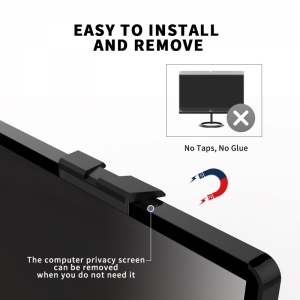
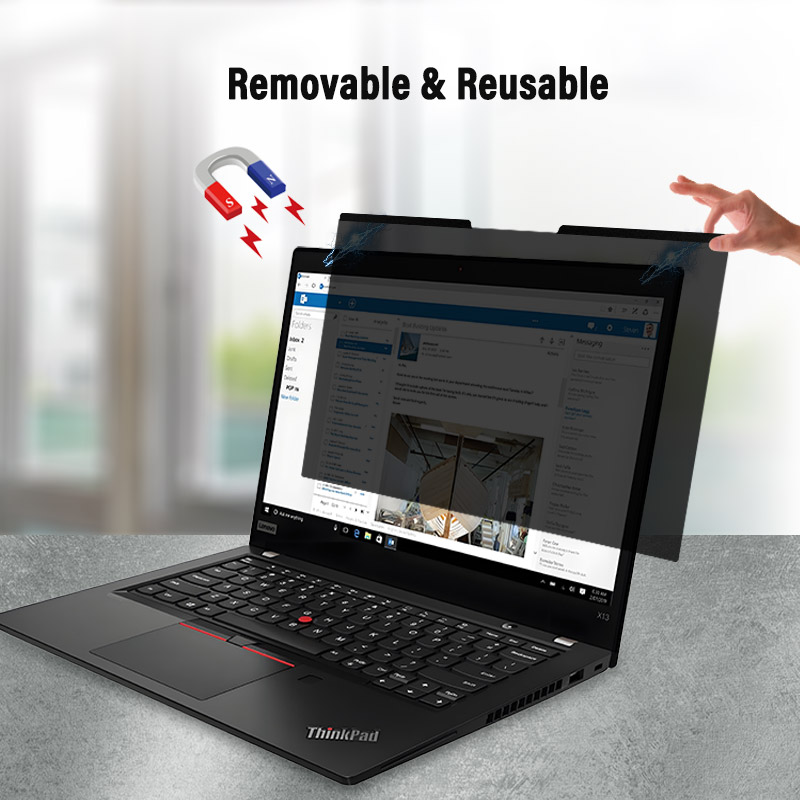
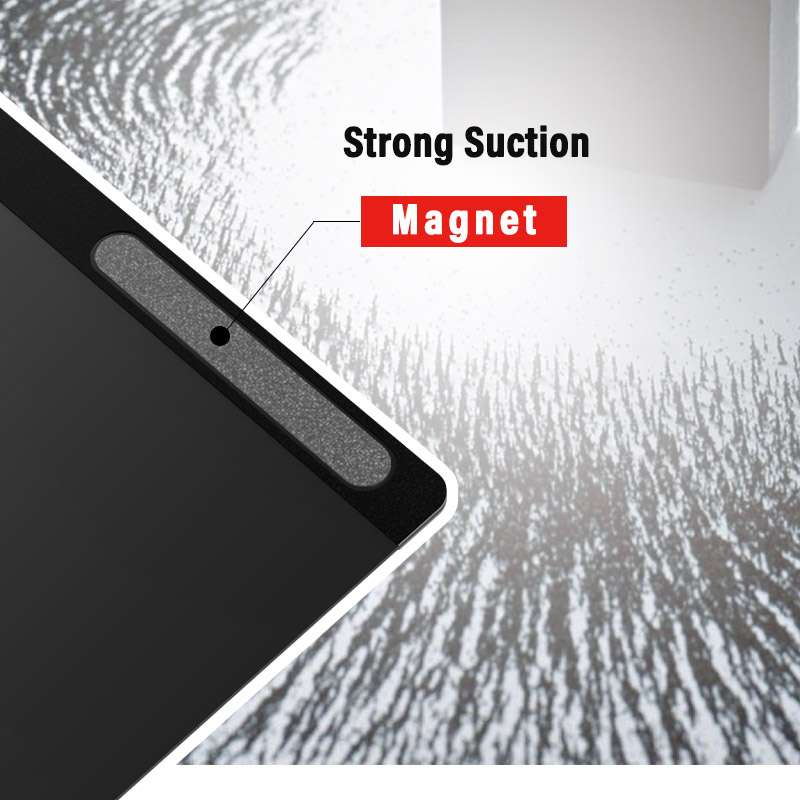
Magnetic privacy screens
Magnetic designs may suit users who frequently remove their privacy screens. However, compatibility depends on the specific magnetic attachment system. Do not assume every MacBook can accept every magnetic filter directly.
Adhesive privacy screens
Adhesive mounting may suit users who prefer to keep the filter installed. Check the manufacturer's instructions carefully, particularly regarding placement and the display surface.
Slide-on privacy screens
Slide-on designs use tabs or similar components around the display edges. They may be convenient for removable use, but narrow bezels can limit compatibility.
Buying tip: Choose the mounting method only after confirming the exact MacBook model and the filter's installation requirements.
5. What Features Should You Consider?
Compatibility is essential, but other features affect the overall experience.
Privacy performance
Consider how often you work around other people and how sensitive the information displayed on your MacBook is. Compare viewing-angle specifications carefully, since manufacturers may describe total viewing angles and per-side angles differently.
Front-view clarity
A privacy filter should allow comfortable viewing from the intended position. Where possible, test a sample to evaluate text readability, brightness, reflections, and colour appearance.
Webcam and sensor clearance
Check that the filter does not obstruct the camera or other components around the display. This is particularly important when the mounting design extends across the upper edge of the screen.
Surface finish
Matte and glossy finishes may behave differently under various lighting conditions. Consider where you normally use your MacBook before selecting a finish.
Portability and removal
If you travel frequently, consider whether you need to remove the filter regularly and how it should be stored when not in use.
6. Common MacBook Privacy Screen Buying Mistakes
Avoid these common problems when selecting a MacBook privacy filter:
-
Choosing by screen size alone: Confirm the exact model and dimensions.
-
Ignoring the model generation: Similar product names do not guarantee identical display construction.
-
Overlooking the bezel: Some mounting methods require additional clearance.
-
Assuming all magnetic filters are compatible: Check the specific attachment system.
-
Ignoring camera placement: Verify that the filter does not interfere with the webcam.
-
Skipping compatibility checks: Ask the supplier when specifications are unclear.
For business buyers, test samples on the intended MacBook models before placing a bulk order.
7. MacBook Privacy Screens for Businesses and Distributors
MacBook privacy filters can be relevant to corporate IT teams, procurement departments, resellers, and private-label brands supplying professionals who work with confidential information.
When sourcing products for multiple MacBook models, prepare a clear specification list containing:
-
Target MacBook models and generations.
-
Display dimensions and aspect ratios.
-
Preferred mounting method.
-
Required privacy performance and surface finish.
-
Estimated quantities.
-
Branding and packaging requirements.
Request samples where practical, and confirm fit, installation, removal, and front-view clarity before approving a bulk order.
Source Privacy Filters from YIPI
YIPI, operated by Shenzhen Xinpai Electronics Co., Ltd., focuses on laptop and monitor privacy filters. As a source-factory supplier, YIPI welcomes enquiries from overseas distributors, business buyers, and brands evaluating privacy filter sourcing options.
For a MacBook-related enquiry, provide the exact model information, required dimensions, preferred attachment method, order quantity, and any branding or packaging requirements. The product requirements can then be reviewed for compatibility and sourcing suitability.
Visit the YIPI website or contact our team to discuss your requirements.
Frequently Asked Questions
Does one MacBook privacy screen fit every MacBook?
No. MacBook models and generations can differ in display dimensions, bezel design, and mounting compatibility. Check the exact model before purchasing.
How do I find my MacBook screen size and model?
Open the Apple menu and select About This Mac to identify your model. Then check the manufacturer's specifications and compare them with the privacy filter supplier's compatibility information.
Can I use a magnetic privacy screen on my MacBook?
Only if the specific filter and attachment system are compatible with your MacBook. Confirm the mounting requirements before ordering.
Will a privacy screen affect my MacBook webcam?
It depends on the filter design and how it is installed. Check camera clearance and confirm that the attachment system does not obstruct the webcam.
What should businesses provide when requesting a quotation?
Provide the MacBook model list, screen dimensions, preferred mounting method, estimated order quantity, and any branding or packaging requirements.
Conclusion
Choosing the right MacBook privacy screen starts with identifying your exact model and confirming physical compatibility. Screen dimensions, bezel design, mounting method, viewing-angle performance, and camera clearance should all be considered before purchasing.
For individual users, accurate model identification helps prevent sizing mistakes. For distributors and business buyers, clear specifications and sample testing help reduce compatibility risks.
Looking for laptop privacy filters for your business? Contact YIPI to discuss your sourcing requirements.