Monitor Privacy Filter Buying Guide: Sizes, Viewing Angles, and Mounting Options
Choosing the right monitor privacy filter involves more than matching the screen size. You also need to consider viewing angle, mounting method, display clarity, and compatibility with your monitor.
Whether you are purchasing a filter for personal use, equipping an office, or sourcing products for distribution, this guide explains the key factors to consider.
What Is a Monitor Privacy Filter?
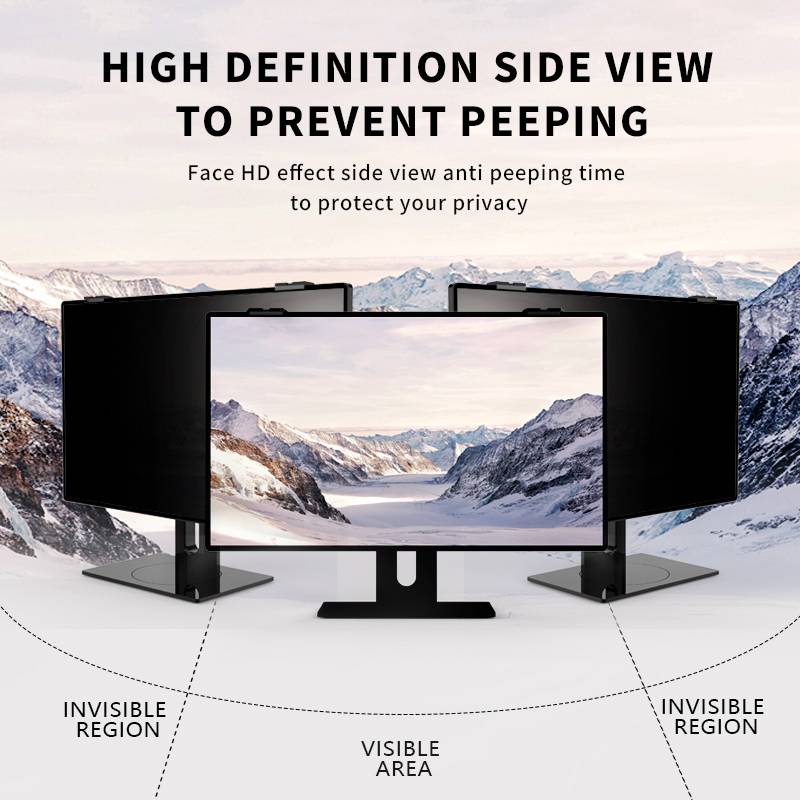
A monitor privacy filter is a screen accessory designed to limit visibility from side angles while allowing the person directly in front of the monitor to view the display.
It is commonly used in offices, shared workspaces, financial institutions, healthcare environments, and other settings where confidential information may appear on screen.
Unlike a standard screen protector, a privacy filter is designed primarily to improve visual privacy.
1. How to Choose the Right Monitor Privacy Filter Size
Correct sizing is essential. A filter that is too small may leave part of the display exposed, while an incorrectly sized filter may interfere with the monitor's frame or mounting system.
Check screen size and aspect ratio
Monitor sizes are usually measured diagonally, such as 22-inch, 24-inch, or 27-inch displays. However, the diagonal measurement alone does not guarantee compatibility.
Check these details before ordering:
-
Monitor brand and model number.
-
Screen diagonal and aspect ratio.
-
Required screen width and height.
-
Bezel design and mounting requirements.
-
Whether the filter covers the active display or the entire front surface.
Common aspect ratios include 16:9, 16:10, and 21:9. Monitors with the same diagonal measurement can have different proportions, so always confirm the actual dimensions.
How to measure your monitor
-
Check the monitor manufacturer's specifications.
-
Measure the width and height required by the filter design.
-
Identify whether the monitor has a raised bezel, edge-to-edge glass, or a curved display.
-
Compare your measurements with the supplier's product specifications.
Buying tip: Do not choose a monitor privacy filter based on diagonal size alone. Confirm the dimensions and compatibility before purchasing.
2. How to Choose the Right Viewing Angle
The viewing angle determines how widely the screen remains visible from the front and sides. The right choice depends on your workspace and privacy requirements.
Consider your working environment
-
Individual workstations: A privacy filter can help reduce casual viewing from nearby desks.
-
Open-plan offices: Consider where colleagues and visitors can see the monitor from the side.
-
Healthcare and financial environments: Prioritize suitable privacy performance when handling sensitive information.
-
Public-facing workstations: Evaluate the filter in the actual environment, especially where people may approach from different directions.
Compare viewing-angle specifications carefully
Some manufacturers express viewing angles as a total angle, while others specify the angle on each side of the screen's centre line. For example, ±30° generally represents 30 degrees on each side, or a nominal total range of 60 degrees.
Check how the supplier defines its viewing-angle specification before comparing products.
Also consider front-view clarity, brightness, reflections, and colour appearance. Where possible, test a sample with the intended monitor under realistic lighting conditions.
A privacy filter is one part of a broader security approach; it does not replace screen locking, access controls, or workplace security policies.
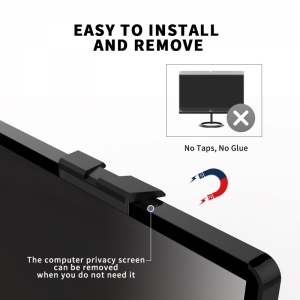
3. Monitor Privacy Filter Mounting Options
The mounting method affects installation, removal, and compatibility. Available options vary by product.
Adhesive mounting
Adhesive strips or compatible adhesive systems hold the filter in place.
-
Suitable for installations where the filter usually stays on the monitor.
-
Can provide a low-profile attachment.
-
May be less convenient when frequent removal is required.
Check surface compatibility and follow the manufacturer's installation instructions.
Slide-mount tabs
Tabs hold the filter around the display edges.
-
Convenient when the filter needs to be removed periodically.
-
May suit shared workstations.
-
Require sufficient space around the monitor's bezel.
Magnetic mounting
Compatible magnetic systems allow the filter to be attached and removed conveniently.
-
Useful for users who frequently switch between privacy and screen sharing.
-
Requires a compatible attachment design.
-
May need additional mounting components.
Hanging or framed designs
Some filters use a frame or hanging structure that rests over the top of a compatible monitor.
-
May avoid adhesive attachment directly to the display.
-
Can suit certain removable-filter applications.
-
Require suitable monitor thickness and edge geometry.
Which mounting method should you choose?
| Requirement |
Option to consider |
| Filter stays installed most of the time |
Adhesive mounting |
| Periodic removal |
Slide-mount tabs |
| Frequent removal and reattachment |
Compatible magnetic mounting |
| Removable framed design preferred |
Hanging or framed design |
These are general guidelines. Always confirm which mounting options are available for the specific filter and monitor.
4. Other Features to Consider
Before making a final decision, review the following factors:
-
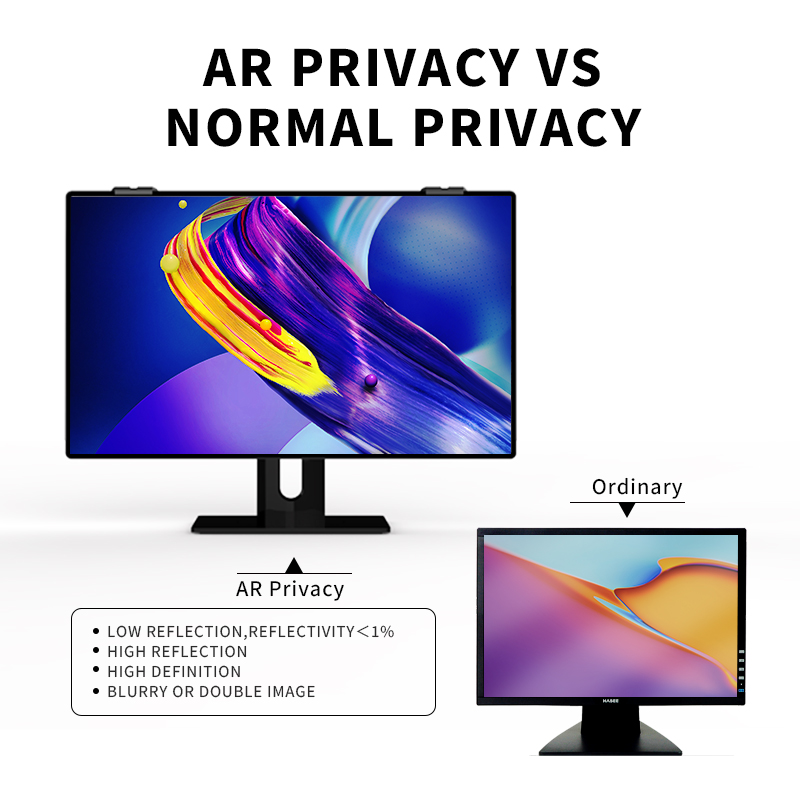
Matte or glossy finish: Consider reflections and lighting conditions in the intended workspace.
-
Screen orientation: Confirm compatibility if the monitor is used in portrait orientation.
-
Curved displays: Check whether the filter is specifically compatible with the monitor's curvature.
-
Narrow bezels: Confirm that the mounting system has enough space to fit securely.
-
Cleaning requirements: Follow the supplier's instructions to avoid damaging the filter surface.
For business deployments, consistent installation and maintenance instructions can help users achieve better results.
5. How to Source Monitor Privacy Filters for Your Business
For distributors, resellers, corporate buyers, and private-label brands, product selection should include compatibility, quality requirements, customization needs, and supplier reliability.
Prepare your product requirements
Before requesting a quotation, provide:
-
Target screen sizes and dimensions.
-
Monitor models and aspect ratios.
-
Required viewing-angle performance.
-
Preferred mounting methods and surface finish.
-
Estimated order quantity.
-
Branding, packaging, and documentation requirements.
Clear specifications help suppliers evaluate the project and reduce misunderstandings during sampling and production.
Evaluate samples before bulk purchasing
Where possible, test samples for:
-
Fit and display coverage.
-
Installation and removal.
-
Front-view clarity and side-view privacy.
-
Surface finish and reflections.
-
Packaging and mounting components.
For projects covering multiple monitor models, test representative models rather than assuming one filter fits all.
Work with a source manufacturer
When evaluating a manufacturer, ask which sizes and configurations are available, how compatibility is checked, what quality-control procedures are used, and which customization options can be supported.
Confirm minimum order quantities, lead times, and other commercial terms directly with the supplier.
Source monitor privacy filters from YIPI
YIPI, operated by Shenzhen Xinpai Electronics Co., Ltd., focuses on laptop and monitor privacy filters. As a source-factory supplier, YIPI welcomes enquiries from overseas distributors, corporate buyers, and brands exploring privacy filter sourcing.
For a more accurate evaluation, share your target screen dimensions, monitor models, mounting preferences, estimated quantities, and branding requirements.
Visit the YIPI website or contact our team to discuss your project.
6. Monitor Privacy Filter Buying Checklist
Before placing an order, confirm the following:
-
Screen size, width, height, and aspect ratio.
-
Compatibility with the exact monitor model.
-
Required viewing-angle performance.
-
Suitable mounting method.
-
Front-view clarity and surface finish.
-
Installation and maintenance instructions.
-
For business orders: sample approval, quality requirements, packaging, quantities, and lead times.
FAQ
How do I choose the correct monitor privacy filter size?
Check the monitor's model, diagonal measurement, aspect ratio, and required width and height. Follow the filter manufacturer's measurement instructions before ordering.
Will a 24-inch monitor privacy filter fit every 24-inch monitor?
No. Monitors with the same diagonal size may have different dimensions, aspect ratios, and bezel designs. Always confirm compatibility.
What is the best viewing angle for a monitor privacy filter?
It depends on your privacy requirements and workspace. Compare specifications using the same definition of viewing angle, and test samples where possible.
Which mounting method is best?
Adhesive mounting may suit filters that remain installed, while slide-mount tabs or compatible magnetic systems can be more convenient for removable filters. The best choice depends on the monitor and how the filter will be used.
Can businesses order custom monitor privacy filters?
Customization and OEM/ODM options depend on the manufacturer's actual capabilities and project requirements. Provide dimensions, target applications, quantities, and branding needs for evaluation.
What information should I send for a quotation?
Include the monitor model or dimensions, aspect ratio, required privacy performance, preferred mounting method, estimated quantity, and packaging or branding requirements.
Conclusion
The right monitor privacy filter should fit your display, provide suitable visual privacy, and work with your monitor's mounting design.
For individual buyers, start with accurate measurements and compatibility. For businesses and distributors, define clear specifications, evaluate samples, and confirm supplier capabilities before placing bulk orders.
Looking for a monitor privacy filter supplier?
Contact YIPI to discuss your sourcing requirements.